Looking for a Scrivener alternative?
Scrivener earned its place: the binder of scenes changed how a lot of people write. StorySled keeps that idea and builds the rest of the novel around it, and brings your Scrivener projects with you in one step.
Free during the beta. Windows 10 and 11. Android companion app in final testing; Mac and Linux to follow.
Bring your Scrivener project across, whole
StorySled imports a Scrivener 3 or Scrivener 2 project, as the project folder or a zip of it. Chapters and scenes arrive in order, with their synopses, notes, comments, research and character sheets. Your snapshots become earlier versions in History, each on the day you took it, so nothing of the project's past is left behind.
A book kept in one file comes in too, from Word, Google Docs, an ebook, markdown or plain text.
What StorySled adds to the binder
- A real timeline. Scenes laid out by when they happen in the story, in parallel strands, beside the order they are read in.
- A World, not just a folder of notes. Character and place pages with relationships, dates and your own fields, linked from the names in your prose.
- Arcs and structure. Start a character arc or a three act structure from a template and tie each beat to the scene that delivers it.
- Continuity checks. Births and deaths, ages, two places at once, details that change: found on your computer, with no AI.
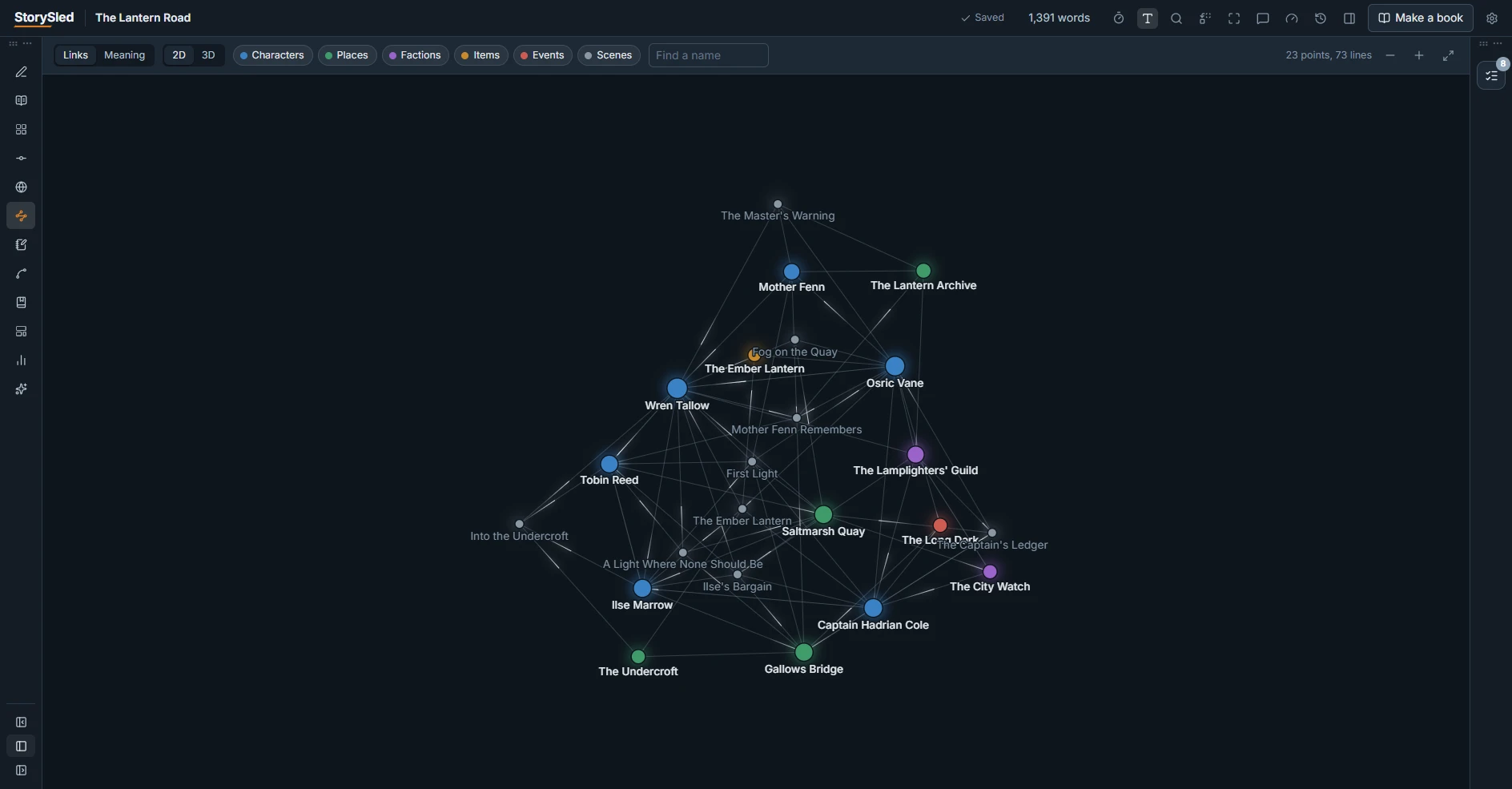
- The Nexus. The web of who appears with whom, drawn from the story itself.
- Books from the same text. Ebook, print PDF and standard manuscript, with styles you can preview, and no compiling settings to learn.
- Every version kept. History saves as you go, and any version can be brought back.
Plain files, on your own computer
A StorySled project is a folder of plain text files. They open in any text editor, they work with your own backups, and they do not need StorySled to be read. There is no account and no subscription.
When Scrivener may still suit you better
If you write on a Mac or an iPad today, Scrivener is there and StorySled is not yet: StorySled is on Windows now, an Android companion app is in final testing, and Mac and Linux versions are planned. If what you love is Scrivener's compile settings for unusual formats, StorySled's book styles are simpler by design.
If you write novels on Windows and want the timeline, the world and the finished book in the same place as the manuscript, StorySled is made for you.
Common questions
Can StorySled open my Scrivener project?
Yes. It brings in a Scrivener 3 or 2 project, as a folder or a zip, with chapters, scenes, synopses, notes, comments, research, character sheets and snapshots.
Does my Scrivener project change when I import it?
No. StorySled reads it and makes a new StorySled project. The Scrivener project is left as it was.
Is StorySled on Mac?
Not yet. It is on Windows 10 and 11 now, an Android companion app is in final testing, and Mac and Linux are planned.
Try it on your own book
StorySled is free during the beta, for Windows 10 and 11. Join the Discord for the download, tell us what drives you up the wall in other writing apps, and help decide what comes next. Or write to us at [email protected].