Novel writing software that holds the whole book
A novel is more than a long document. It is scenes in an order, a story in time, a cast with histories, and in the end a book someone can buy. StorySled is fiction writing software for Windows built around all of that at once.
Free during the beta. Windows 10 and 11. Android companion app in final testing; Mac and Linux to follow.
What makes the best novel writing software?
Search for the best novel writing software and you will find long lists. The honest answer is that the best one is the one that fits how a novel actually gets written: in pieces, out of order, over months, with a head full of people and places that all have to stay straight.
So rather than a ranking, here is what to look for, and how StorySled answers each.
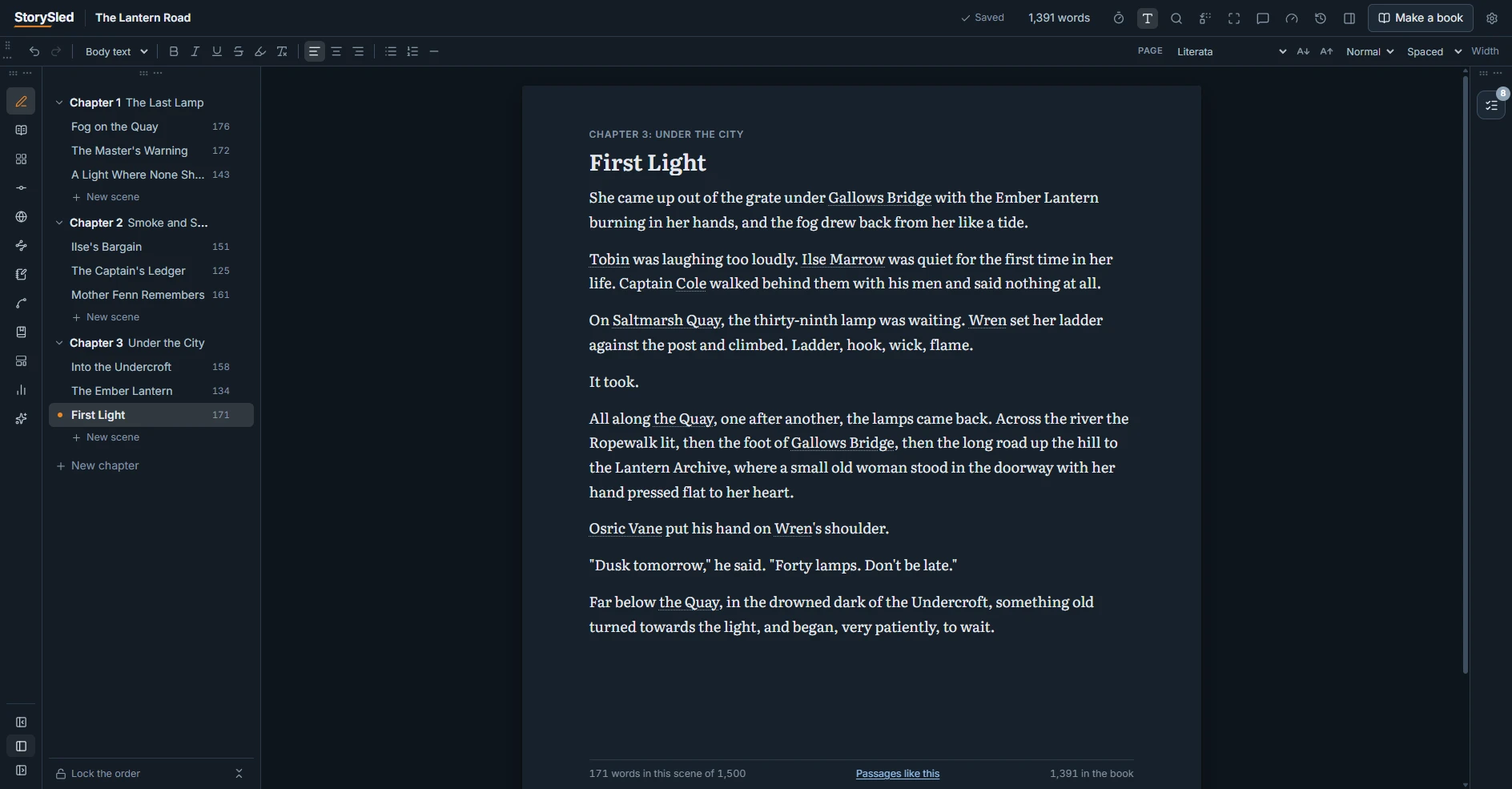
- Scenes you can move. Chapters and scenes in a list you can drag into a new order, with word counts on every one, instead of one endless file.
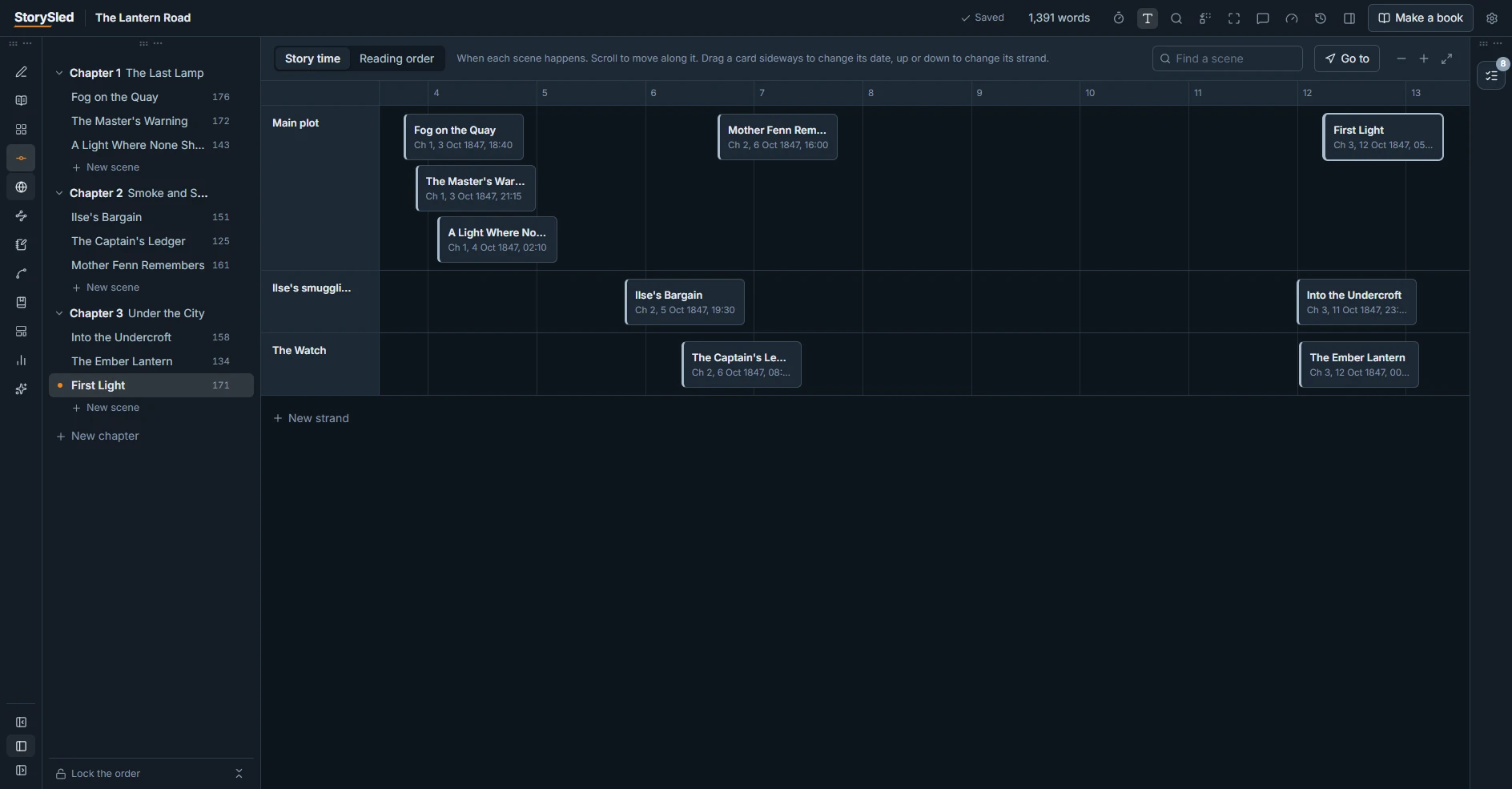
- A place for the story's time. A timeline that shows when each scene happens, not just where it sits in the book, so a flashback or a parallel plot stays clear.
- A memory for your world. Characters, places and the rest kept beside the manuscript, so the eye colour on page 40 still matches page 400.
- Structure without a straitjacket. Arc and outline templates to start from, that you fill in your own words and can ignore entirely.
- A finished book at the end. An ebook and a print-ready PDF made from the same text, without copying it into another program.
- Files you own. Your writing on your own computer, in a form that still opens if the app is gone. No account, and no subscription holding your book hostage.
A calm page, and every scene in reach
The writing page is quiet: one scene at a time, in a typeface made for long reading, with a distraction-free mode when you want nothing else on screen. Every scene's date, point of view and cast are a click away, and word goals, streaks and a timer keep a book moving.
Open a whole chapter to read and write it as one page, or keep other chapters open beside the one you are writing, locked for reference or unlocked to edit. Everything saves as you type, and every saved version is kept in History.
The story in time, and the shape of it
The timeline lays every scene out by when it happens, one lane for each strand of the plot, and switches to reading order in a click. Drag a card to move a scene in time. Your arcs sit above the strands, so you can see where each beat lands.
Planning tools are covered in more depth in the guide to book planning and outlining software.
Characters, places and everything else
Characters, places, factions, items and events each get a page, plus kinds of your own such as ships or spells, with fields you name yourself. Names in your prose link to their pages. The Continuity Inspector reads the manuscript and the World together and points out where they disagree, with no AI involved.
More in the guide to character management.
From draft to a book you can publish
Make a styled ebook for Kindle, Kobo and Apple Books, a print-ready PDF for KDP or IngramSpark, or a manuscript in standard format for agents, from the same text. See how a style looks before you make the book. More in the guide to book formatting software for Windows.
Fiction writing software made for Windows
Plenty of the best-known writing apps started on the Mac and came to Windows later, or never. StorySled is built and tested on Windows 10 and 11 first. An Android companion app for writing on the go is in final testing, and Mac and Linux versions are on the roadmap.
Common questions
Is StorySled free?
Yes, during the beta. There is no subscription and no account.
Does StorySled work on Windows?
Yes. It is made for Windows 10 and 11. An Android companion app is in final testing, and Mac and Linux are planned.
Where is my writing kept?
On your own computer, as plain text files in a folder you choose. They open in any text editor, with or without StorySled.
Do I have to use AI?
No. AI is off unless you set it up with your own key. See AI-compatible writing software.
Try it on your own book
StorySled is free during the beta, for Windows 10 and 11. Join the Discord for the download, tell us what drives you up the wall in other writing apps, and help decide what comes next. Or write to us at [email protected].